
Seller guide
Check team access
Your goal
Staff have access appropriate to their role.
Before you start
- A seller account with access to this screen
Follow these steps
Open Team.
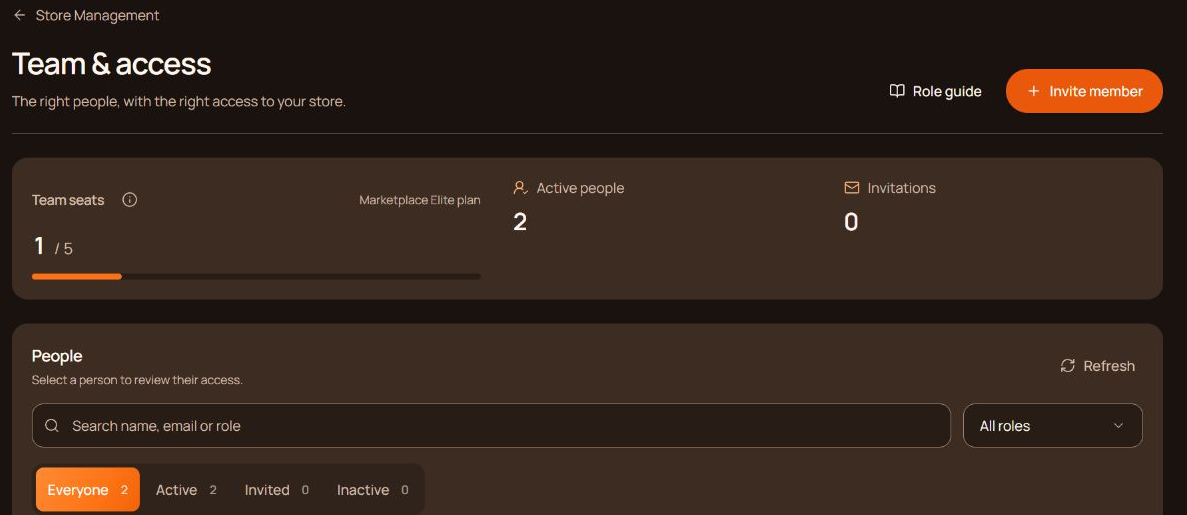
Step 1 · TeamManager reference view for check team access Review the member and assigned role.
Confirm their permissions match their duties.
Check your result
Staff have access appropriate to their role.
Common mistakes and fixes
- Use a separate staff account instead of sharing an owner login.
Quick check
Verify the outcome
Staff have access appropriate to their role.
What should you check if the result is unexpected?
Use a separate staff account instead of sharing an owner login.
Learning progress
0/2 lessons · 0%Sign in with your existing Anygoodfood account to save progress.
Guide completion records reading progress. Certification and Sellerhub Compliance require their own knowledge checks.