
Seller guide
Reconcile an order with the ledger
Your goal
The amounts reconcile to the order receipt.
Before you start
- A seller account with access to this screen
Follow these steps
Open Plans and Billing.
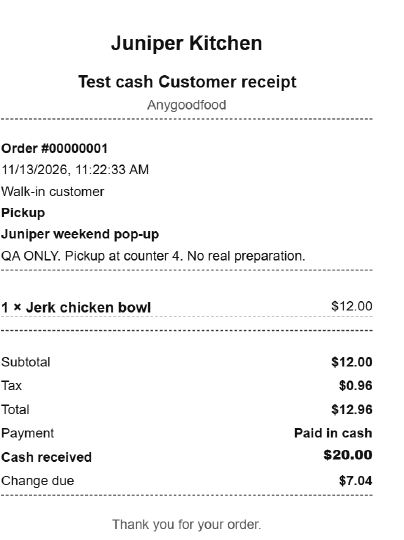
Step 1 · Billing reference view for reconcile an order with the ledger Expand Sales & payout ledger.
Compare the order total, retained amount and seller proceeds.
Check your result
The amounts reconcile to the order receipt.
Common mistakes and fixes
- Recorded proceeds are not a bank payout.
Quick check
Verify the outcome
The amounts reconcile to the order receipt.
What should you check if the result is unexpected?
Recorded proceeds are not a bank payout.
Learning progress
0/2 lessons · 0%Sign in with your existing Anygoodfood account to save progress.
Guide completion records reading progress. Certification and Sellerhub Compliance require their own knowledge checks.