
Buyer guide
Check your order before paying
Your goal
The order record shows whether payment succeeded.
Before you start
- A cart with an available item
Follow these steps
Open Cart.
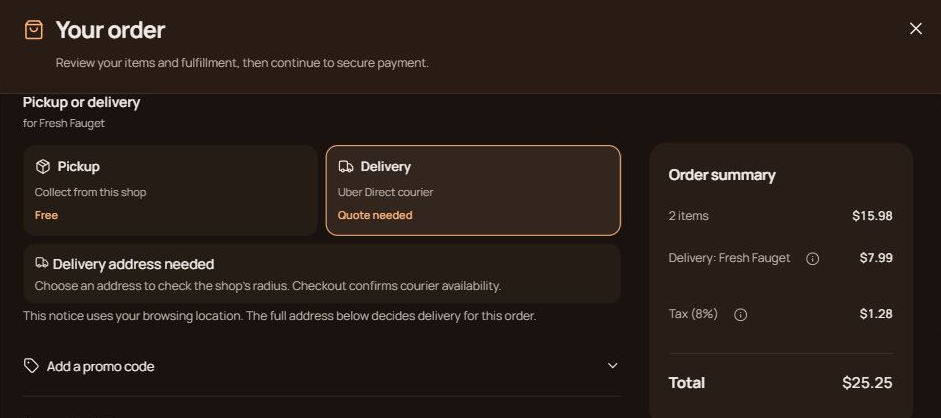
Step 1 · Cart reference view for check your order before paying Review your items and fulfillment method.
Check the final total before paying.
Open My Orders after checkout.
Check your result
The order record shows whether payment succeeded.
Common mistakes and fixes
- Returning from checkout alone does not confirm payment.
Quick check
Verify the outcome
The order record shows whether payment succeeded.
What should you check if the result is unexpected?
Returning from checkout alone does not confirm payment.
Learning progress
0/1 lesson · 0%Sign in with your existing Anygoodfood account to save progress.
Guide completion records reading progress. Certification and Sellerhub Compliance require their own knowledge checks.